Author: Jason

  • Domain Registry of America are now emailing highly misleading emails too

    One of our customers, thankfully got in contact today (before it was too late), in relation to a new scam by the Domain Registry of America, as follows:

    —–Original Message—–
    From: Transfer and Renewal Support [mailto:transfers@droa.com]
    Sent: 06 August 2009 09:04
    To: domain-email@headmassage.com
    Subject: TT0, headmassage.com;
    Order # 1686111

    Hello John Smith,

    The transfer and renewal of your domain name, headmassage.com is not yet complete at this time.

    Reason:
    ——-
    1) The Domain name is currently in a “REGISTRAR-LOCK” status with your current registrar 1&1 INTERNET AG
    2) We require that you provide us with an EPP Key/Authorization Code from your current registrar In order to complete the transfer and renewal, the “REGISTRAR-LOCK” status needs to be removed and an EPP Key/Authorization code needs to be obtained. Please see below for instructions on achieving this.

    Solution:
    ———
    – Log into your account with your current registrar, and change the status of your domain, headmassage.com, from “locked” to “active”.
    – Then look for the EPP Key or Authorization Code.

    Alternate Solution:
    ———
    – Call your current registrar, 1&1 INTERNET AG (see phone number below) and ask them to remove the lock status of your domain name, give you your EPP Key, and allow the transfer to Domain Registry of America.
    – Once done please notify us that you have done so, by clicking on the link below, or calling our toll-free number below.
    https://namejuice.com/agree.asp?e=1&o=1686111&p=3110111

    We will then re-attempt the transfer and renewal of your domain name.

    As a convenience, we have supplied your current registrars phone number below.
    Domain: headmassage.com
    Current Registrar: 1&1 INTERNET AG
    Registrar Phone Number: Please visit their site to contact them

    Transfer Department
    Domain Registry of America
    Toll free 1-866-434-0212 or for International Callers, dial +1(905)479-2533

    8/6/2009
    4:04:11 AM

    —–End Message—–

    All the information they’d included in the email, had come from the publicly accessible ‘WhoIs’ information. The above email, was the first our client had received from DRoA, after absolutely no action from the client!

    DRoA have been around since around 2001, misleading people, conning people, and overcharging people, etc.

    For many years, these had been in the form of a highly misleading ‘invoice’ that would arrive in the post, with an American flag on the envelope, and an American reply address (even though they’re a Canadian company), warning domain owners that they must renew their domain immediately, otherwise it will be lost, and using various scare tactics about what could happen when their domain is lost (these letters would normally go out, around 4 months before the domain was due to come up for renewal anyway).

    Once you then replied to the letter, asking them to ‘renew it’ (as many people did, thinking they were linked to your normal registrar, etc.), they’d control your domain, charge around 5 times the normal annual price to renew it each year, and charge an even bigger release fee, to get the domain back to any other reputable domain registrar!

    After countless complaints, thankfully their postal letters changed to be slightly less misleading. However, I now discover they’ve moved to emails instead!

    I couldn’t believe the audacity of the above email (the client’s information has been removed for data protection, and the domain name has been changed in this email for confidentiality).

    Thankfully, this was stopped before the transfer could be completed.

    Surprisingly, although the domain was hosted with 1&1, nothing had been changed with it apart from some new web-forwarding within the 1&1 control panel, so either DRoA were very lucky in their timing, or they have an automated system, looking out for significant changes to the forwarding of good domain names!

  • New ISMA website

    We’re pleased to announce the complete redesign & redevelopment of www.isma.org.uk on behalf of the International Stress Management Association UK.

    This particular website started off as a requirement that their previous website (completely rebuilt in only late 2007) had significantly reduced their search rankings since relaunch, and very very few people actually liked the new design (after the initial gloss of the new launch in 2008).

    Upon further investigation, we were amazed to see a new website like this (for a very significant design fee) was predominantly designed in tables (tables are for tabular data, not design), with hidden text in images (thus mainly hidden from search engines, and inaccessible to character screen readers), and essentially lacking in so many areas too numerous to mention.

    The previous website didn’t even validate with either the html or css checker (lots of major errors in programming markup)! The redesign took a little over a week of actual programming time for the main system, although, because we’d pulled the text content from the ‘existing’ website, and recoded it into the new accessible format, the clients discovered countless pages of out of date content, they didn’t even know they had!

    Also, as the design expanded, their requirements increased as they then wished to combine their other websites, into this one.

    So, for a small additional fee, we incorporated their ‘National Stress Awareness Day’ website as part of the new design, also adding the ‘ISMA Conference’ website, and a new secure members area. (as well as an up-to-date web search facility, and new in-house newsletter feature within their server space rather than using an external one)

    The site has been built to the latest standards, using good simple html for the main content (and thus keeping it fast to load, accessible to screen readers, and good for search engines), and then using CSS for the design and layout.

    As you may see, many of the pages are also optimised for printing automatically (just go to ‘Print Preview’ to see what happens).

    We’ve also now incorporated two web logs (blogs) with Google’s Blogger, within the site, for a way to effectively add new press releases, new research, and various updates to ISMA for the public and their members. This is then all automatically archived, and indexed to search engines virtually instantly.

    We’ve also incorporated the use of a very easy to use CMS (Content Management System) for every website page, allowing the administrators a very easy way to add/edit/update any of the main website pages, on demand, as required.

    Of course, because it’s hosted on our servers, ISMA also have full control of every file within the website, they can add unlimited email accounts, additional ftp access accounts, and a host of other benefits, for free.

    If you’d like to check it out, just go to www.isma.org.uk and take your time perusing around the website.

    You might also be interested to know, the new combined website came in, at around a third of the previous costs for just two of the four websites built less than 2 years ago!

    If you’d like to get in contact about your website redesign, please do get in contact.

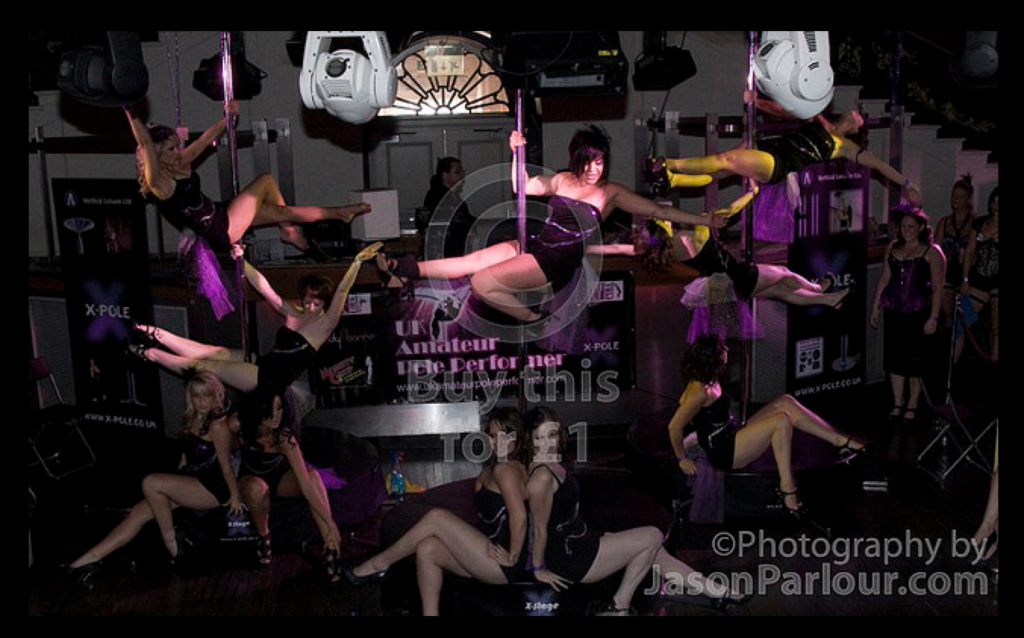
  • UKAPP – 2009-07-18 – St Albans heat

    UK Amateur Pole Porformer is a national competition, with regional heats.  This particular event was hosted in St Albans:

    To see the full collection, you can visit the Flickr link here:

  • Glastonbury 2009

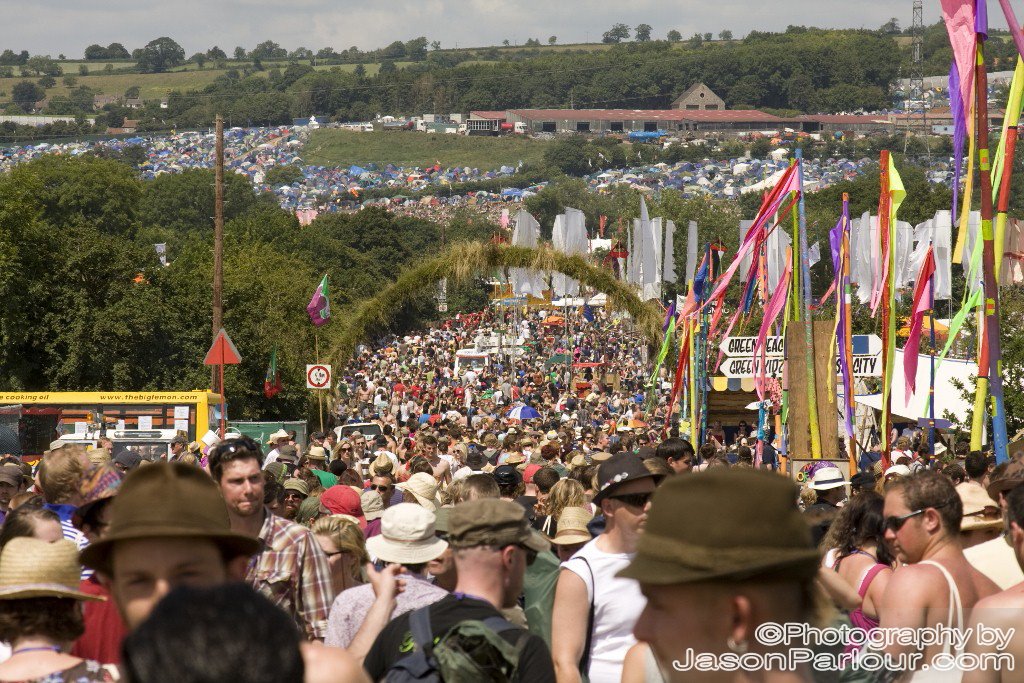
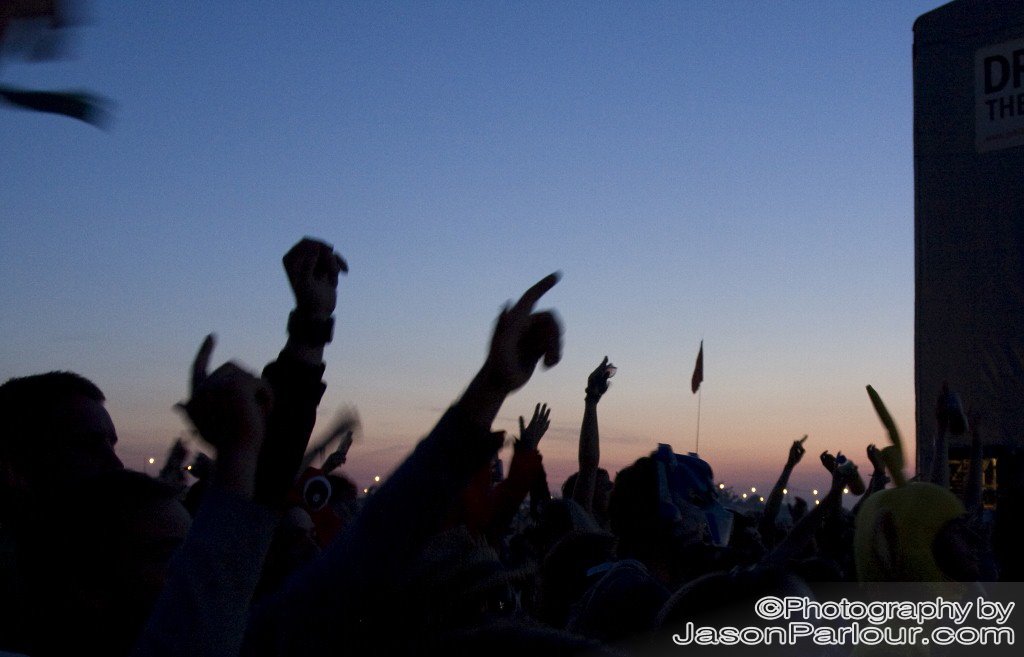
    I’ve just come back from another amazing time at the Glastonbury 2009 Festival.

    A really superb time once again, and although I didn’t get as carried away this time with the images, was fortunate to be able to capture a few moments that highlighted the key points for me during the weekend.

    Some of the crowds
    This guy was calling out “I can’t use my eyes, so I hope everyone’s looking at me!”
    Just one of the incredible efforts by ‘The Black Eagles’ in the circus tent.
    Dancing away to Pendulum on the Saturday night.

    A bunch more images can also be seen on my Flickr site:
    http://www.flickr.com/photos/jasonparlour/sets/72157620725532166/

  • Updates to Jason Parlour Photography

    Although my blogs have been pretty quiet on this site for the past few months, it’s certainly not through lack of photography. Things have been very busy on lots of privately commissioned shoots, both at the new Purity Studio in Reading, and on location.

    I have however just noticed that Windows Live Spaces has now removed it’s feature of using the images from live spaces, to display a slideshow on this website. As a result, I’ve now pulled those slideshows offline, until a more suitable replacement can be found.

    Sorry though, that as a result, you won’t be able to see much in the way of a selection of my images though this site. This will be changed and sorted soon though.

    If you have any queries in the meantime, please do let me know.

  • PayPal Phishing – Play and Connect Ltd

    Just had this one through today, to an email address that’s only used by my web design clients (so unfortunately, some-one’s computer in that link is currently infected with a email harvesting virus):
    —–  
    From: PayPal [mailto:service@paypals.co.uk]  
    Sent: 04 May 2009 19:07  
    To: customer@paypal.co.uk
    Subject: Receipt for Your Payment to Play and Connect Ltd  

    Dear PayPal member, You sent a payment of £100.00 GBP to Play and Connect Ltd (fairyland@playandconnect.com) 

    Merchant Play and Connect Ltd fairyland@playandconnect.com Instructions to merchant You haven’t entered any instructions.
    Description
    Unit price
    Qty
    Amount
    750 Gold Item Number 103 , uid: 1400473058 , uid2: 100.00 GBP
    1
    100.00 GBP
    Subtotal
    100.00 GBP
    Total
    100.00 GBP
    Payment
    100.00 GBP
    Charge will appear on your credit card statement as ‘PAYPAL *MYFAIRYLAND’ 

    Issues with this transaction? Y

    ou have 5 days from the date of the transaction to cancel it. If you haven’t authorized this charge ,click the link below to cancel transaction: https://www.paypal.com/cgi-bin/webscr?cmd=_login-run&dispatch=5885d80a13c0db1fa798f5a5f5ae4
    [Link: http://paypal.co-uk.dt6.pl/?cmd=_login-run&dispatch=5885d80a13c0db1fa798f]

    Please do not reply to this email. This mailbox is not monitored and you will not receive a response.

    For assistance, log in to your PayPal account and click Help in the top right corner of any PayPal page.

    To receive email notifications in plain text instead of HTML, log in to your PayPal account, go to your Profile, and click Notifications


    Copyright ©1999-2009 PayPal. All rights reserved. PayPal (Europe) S.а r.l. & Cie, S.C.A. Sociйtй en Commandite par Actions Registered Office: 22-24 Boulevard Royal L-2449, Luxembourg RCS Luxembourg B 118 349 PayPal Email ID PP120 Image removed by sender.
    —–

    This one did take me a few moments to recognise the phishing scam rather than the immediate recollection I normally have. So how did I know?

    • The ‘To:’ field is customer@paypal.co.uk (rather than one of my actual paypal email addresses)
    • It’s from a company I’ve never had any dealings with (normally a good warning sign) for a product I don’t recognise
    • The ‘cancel transaction’ link, as I expected. If you hover over the link in the actual email (which claims to go through to PayPal.com), you’ll see it link up to the website http://paypal.co-uk.dt6.pl/

    Because of the nature of the link, each of these emails will probably go through to a unique URL (web address), which flags up on their system you actively use that email, wrongly (which means far more junk mail and phishing scams coming through to you). Similarly of course, giving your full username and password on the page requested, will mean your account will be subsequently hacked pretty quickly, and you’ll loose money!

    How can you prevent this type of phishing scam succeeding?

    1. Never click on PayPal links in emails, to process any sort of transaction you’re notified about. Always type the PayPal.com web address directly into your browser window. (The same applies to banking emails, etc.)
    2. Have unique email addresses for different purposes (ideally one per company you sign up to, etc. and have these all forwarding automatically through to a smaller selection of email addresses you can pick up easily).
    3. If you do want to check the URL in an html type email.. normally just hover your mouse over the link (without clicking on it), and check the URL carefully. Normally phishing scams are sub-domains of sub-domains of random websites (ie http://paypal.com.something-random.zz/ljasdasDAlkjasdaalalsad… )
    4. Upgrade to the most recent Internet Explorer 8, which highlights the actual domain name you’re on (or one of the others, like Mozilla, Chrome, Safari)
    5. Keep your anti-virus (ie http://free.grisoft.com) up-to-date, and check regularly for malware, spyware, etc.
    6. Never send bulk emails to the ‘To:’ or ‘Cc:’ field. Always use the ‘Bcc:’ field when sending group emails.

    If you have any questions about any of the points raised above, please do contact us at Parlour Design.

  • Internet Explorer 8

    Finally, I’m very pleased to share that Internet Explorer Version 8, is now finally available for download. http://www.microsoft.com/windows/internet-explorer/worldwide-sites.aspx

    Hopefully this will mark the end of so many design issues with the previous versions of Internet Explorer, that up until now, has had it’s own methods on how to display content (which largely goes against anything that the ‘World Wide Web Consortium’ have agreed).

    Most used browser

    As Microsoft’s Internet Explorer is still the most used browser on the internet, the problem for web designers for many years has been to develop a website that looks good, adheres to the accessibility standards, and validates http://validator.w3.org. Then, the designer has to add various ‘hacks’ to make it still look okay with Internet Explorer (Explorer always seemed to have it’s own way of displaying web pages)! Thankfully (apparently), Microsoft have finally listened more carefully to the WWW Consortium, and made a browser that displays more properly.

    InPrivate

    Another nice feature I’m particularly pleased about, is the ability to switch on certain privacy settings through something called ‘InPrivate Browsing’. As a result, the browser will remove things like your cookies, browser history, etc. automatically, when you close down Explorer. http://www.microsoft.com/windows/internet-explorer/privacy.aspx (This is a feature that’s been around for a long time in other browsers like Mozilla). What this in particular means for me, is all those advertising cookies that monitor your browsing habits to serve you more effective advertising, will now be removed automatically (as long as you switch on ‘InPrivate’ of course!)

    Well done Microsoft, for finally getting up-to-date with the rest of the web!

  • Google’s new ‘invasion of privacy’

    I’ve just been informed of Google’s changes to the way they monitor your web traffic, to help target their advertising partner’s adverts in a more targeted way.

    This on the plus side should mean more appropriate adverts based on your browsing preferences (if you’re in to that sort of thing).. on the negative side, it means cookies are being used even more invasively to watch where you go. (Much like facebook ads can be very much based on ‘wedding photography’ if you change your status to engaged.. other general adverts advertising apparently ‘dating’ sites in your town based on your IP address, etc..) )

    It’s kind of like your supermarket clubcard, being used to monitor all of your shopping habits, and then sending you ‘special offers’ because they know, based on previous years trends that someone’s birthday is coming up.

    Also similar to the Nectar card being used for whatever they like, to share all of your spending habits with anyone they choose, and not giving you the chance to opt out of having your details shared.)

    This is one of the reasons I always recommend friends and clients to move their browsing habits to something like Mozilla instead of Explorer, and then set the privacy settings to remove all cookies & temporary files after closing the browser.

    Thankfully, Google have helped pre-empt the backlash, by developing a couple of plug-ins (for Mozilla & Explorer) to block the cookie while you browse:
    http://www.google.co.uk/privacy_ads.html
    http://www.google.com/ads/preferences/html/opt-out.html

    If you have any questions that arise out of any of information above, please do get in contact.

  • How can clients help their designers develop a new website?

    When going for a massive redevelopment of an existing website, or of course when developing a new website and brand from scratch, there can often be a challenge conveying what a business represents (or certainly what it aims to), to the designers, so that your logo, website, brochure, etc. is actually in keeping with your brand.

    Something I often discover, is the regular lack of self-awareness people had of their own company, and how it should best be represented.

    Of course the larger multinationals and such like have very detailed brand guidelines, dictating precisely; where a logo should be positioned and what’s allowed around it, the colour pallet you’re allowed to use in any branding, the target market, brand words and messages, etc.

    However, virtually all smaller businesses have never done this, or even thought about it.

    They might use standard ‘Word’ templates for their letters. They may have had their logo designed by someone in the company who’s a bit artistic. And any colour scheme may be based on however they feel that day, or black because that’s all their printer’s ever been able to print.

    But if you ask them who their company really is, what it represents, and how it should best be described, more often than not, blank looks are what you get in return.

    So today, whilst listing a few questions for a new client to better understand their business, I figured you may also find these questions useful in better understanding your business, and particularly how you can share this understanding with a designer outside of your business.  

    Brand Development Guidelines:

    1. If your brand was a building, what type of building would it be? (ie modern office block, old traditional church, country cottage, etc.) If you actually know a building physically, do include a photo or its name/location.
    2. What sort of interior would it be? (ie minimalist, comfortable, steel, etc.)
    3. What type of fabric? (leather, cotton, silk, latex, vinyl, fleece, towelling, knitted wool, etc.)
    4. If it could be any colour, what colour and shade would it be? (you can use paint charts if you like)
    5. What other words might you use to describe the colour (ie warm, fresh, vibrant, cool).
    6. Do you have secondary colours that also come to mind, or a scene or picture with complementing colours?
    7. What weather, in what season, and at what time of day would best represent your brand? (try to describe the moment if you can, ie a cool winter’s evening at dusk after a fresh snowfall, a bright sunshine new day of spring surrounded by flowers and green grass at 11am, etc)
    8. What shapes come to mind? (2 or 3 dimensional, cubes, triangles, spheres, ellipse, flowing curves lines, jagged lightening, particular art sculptures, etc.).
    9. If the brand was water, what would the water be doing? (glacial frozen, fast flowing river, white water rapids, waterfall, gentle stream, meandering river, pond, lake, ocean, puddle, cloud, etc.)
    10. If your brand was an animal, what would it be?
    11. If it was a plant, what type of plant, and at what stage of growth?
    12. If it was a smell, what smell would this be?
    13. If it was a feeling, a physical sensation, what would that be?
    14. What human emotion best represents your brand? (or small range of emotions)
    15. If it was music, what type of music genre or song?
    16. If it was a sound, a single sound, what type of sound?
    17. If it was a musical instrument, what type of instrument, and who’d be playing it?
    18. If it was a famous person (or people), who would they be, how old would they be, and what would they be doing?
    19. If your brand was a holiday, what type of holiday would it be? (family, business, sports/active, pampering, relaxing, historical, tour guiding, backpacking, etc.)
    20. If it was a vehicle or form or transport, what sort, and at what speed?
    21. If it was a TV program, what would it be (ie family soap, comedy drama, documentary, question show, news program (and which one), etc.?
    22. If it was a food, what type of food?
    23. What type of drink would it be (and how would it be served)?
    24. Do any other visual images that come to mind?
    25. Are there any other words you’d use to describe your brand?

    The more of these you can answer, the more likely your designer will be able to better understand your business from a design point of view. Of course if you have any questions for us, please do let us know too!

  • New Teachers’ portraits, with Purity Pole Dancing

    It was a pleasure to assist PurityPoleDancing again last weekend, at the Purity Studio, in a series of photos for Jolene’s new teachers. Due to the continued success of Purity, these new teachers will now be expanding classes across the south of England.

    Do check out their website for further photos!